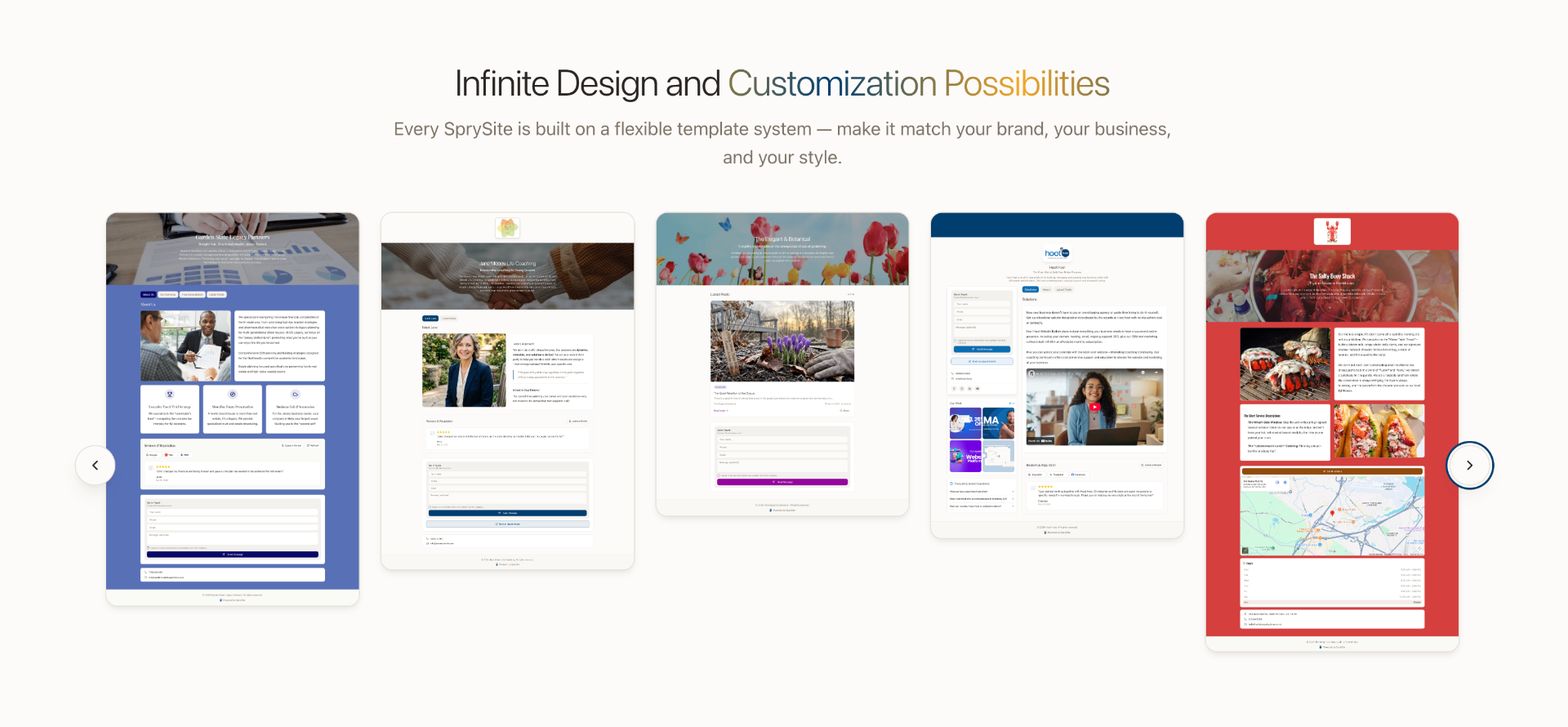
One of the most common pieces of feedback we hear from SprySite customers is simple: "I love how easy it is — but I want it to feel more like my brand."
That''s exactly what this update delivers. We''ve shipped a brand new Content Blocks library for the Tabs section, plus a set of expanded styling controls that give you real creative control over how your website looks and feels — all without touching a line of code.
Introducing Content Blocks
Until now, the Info, Company, and Custom tabs on your SprySite were powered by a single rich text editor. Great for writing, but limiting if you wanted to mix images, videos, FAQs, and feature grids into a real landing page.
The new Content Blocks library changes that. Inside any tab, you can now stack as many blocks as you want, in any order, to build pages that look custom-designed.
The Block Types
- Image Left / Image Right — Two-column layouts with an image on one side and rich text on the other. Perfect for "About the Owner," service descriptions, or storytelling sections.
- Three-Column Grid — A responsive 3-column layout with optional icons or images per column. Ideal for service highlights, feature lists, or "Why Choose Us" sections.
- Accordion / FAQ — Expandable question-and-answer items that keep long pages tidy and boost SEO with structured FAQ content.
- YouTube Video — Drop in any YouTube link and it embeds as a clean, responsive video player.
- Custom HTML — Paste in embeds from Calendly, Google Maps, booking widgets, or any other tool. Sanitized for safety, flexible enough for power users.
Every block can be reordered, duplicated, or removed with a click. The result: tabs that work like full landing pages instead of plain text walls.
Expanded Brand Styling Controls
Content is only half the story. The other half is how it looks. We''ve expanded the Styles card on your dashboard so your website can match your brand identity from top to bottom.
What''s New in Styles
- Custom Headline Font — Choose from a curated library of Google Fonts to give your headlines real personality. Pair a bold display font with our clean body text for a magazine-quality feel.
- Headline Color — Set a dedicated color for all your headlines, separate from your accent color. Great for two-tone brand systems.
- Background Color — Move beyond plain white. Soft creams, warm grays, deep navy — pick a background that fits your aesthetic.
- Accent Color — Powers buttons, links, icons, and highlights across your entire site with one click.
- Logo Size Control — Choose between standard and large logo display, depending on whether you want subtle branding or a hero-style mark.
Combined with our existing template options, these controls mean two SprySite customers in the same industry can have websites that look completely different — and completely theirs.
Why This Matters for Small Businesses
Most small business website builders force a tradeoff: easy to use but generic, or flexible but overwhelming. Our goal with Content Blocks and the new styling controls is to break that tradeoff.
You shouldn''t need a designer or a developer to publish a website that actually represents your business. With these new tools, you can:
- Build a real About page with your story, photos, and team highlights — not just a paragraph of text.
- Create a Services overview with side-by-side images, feature grids, and an FAQ at the bottom.
- Design a Menu or Offerings page that looks like a print menu, not a Word document.
- Embed a booking calendar, video walkthrough, or interactive map directly into a tab.
- Match your website typography and colors to your logo, signage, and printed materials.
Try It Now
Both Content Blocks and the new styling options are live in your SprySite dashboard. Head to the Tabs section to start adding blocks, and the Styles card on the Website tab to fine-tune your brand look.
We can''t wait to see what you build. As always — if you''ve got an idea for a new block type or a styling option you''d love to see, send it our way through the Support page. The roadmap is shaped by what you ask for.